Hotel case study
PREM Group wanted a safer way to take card payments when guests weren’t at the front desk. With SOTpay, guests could pay on their own devices using a secure link, and staff could see when payment was complete. The rollout covered 10 locations in the UK and 10 in Ireland.

10 in the UK and 10 in Ireland
Sent to guests by email or SMS
Now or later, with no card details read out
PREM Group is a hospitality management company
PREM Group, a hospitality management company founded in Dublin, needed a way to accept remote card payments while reducing exposure to fraud-related chargebacks and limiting the card data its teams had to handle. The process also had to work when guests wanted to pay during a call or finish the payment later.
That gave the payment process four jobs to do across every property:
PREM Group deployed SOTpay Pay by Link. A staff member sends a payment link by email or SMS. The guest opens it and enters their card details on their own device. They can do this while still speaking to a team member or come back to the link later. Once the authenticated payment is complete, SOTpay notifies the relevant person or department.
In practice, each payment follows the same four steps:
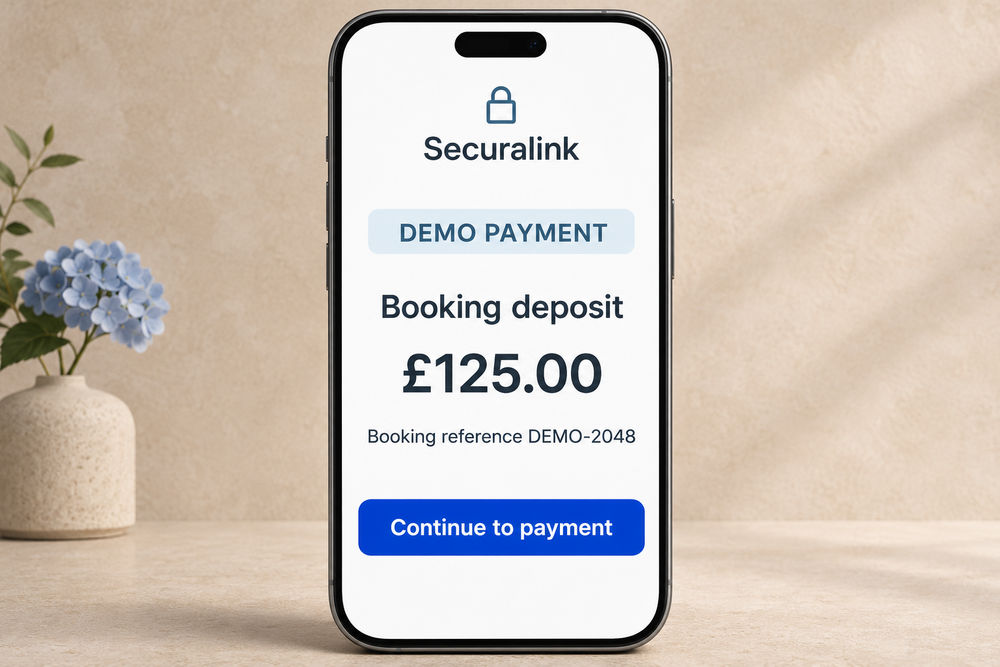
The rollout gave staff at 20 locations a common way to take remote payments without asking guests to read out their card details. Guests could choose when to pay, and teams received confirmation once the payment went through.
Staff at every UK and Irish property use the same way to take a remote payment.
A guest can pay during the call or return to the link later, on their own device.
SOTpay notifies the relevant person or department once the payment has gone through.
“We wanted to provide our customers with a simple, user-friendly and secure payment process across our properties.”
PREM Hospitality, UK Operations Manager
See how a secure payment link works for hotel guests.
The SOTpay Merchant Command Centre gives reservations and finance teams one place to request payments, track their status and manage refunds.
Securafone lets staff stay on the call while guests enter their card details privately on their own device.
See how Securafone worksSecuralink lets staff send branded payment links for booking deposits and pre-arrival balances.
Explore Pay by LinkCardVault for Oracle OPERA Cloud links a tokenised card to the guest’s reservation with their authorisation. Hotels can use the saved payment method for agreed charges such as an upgrade or an outstanding balance.
See the OPERA integrationBring a payment scenario from your reservations or front-desk team. We’ll walk through what staff and guests see, from requesting a booking deposit through to confirming payment or saving a card against an OPERA Cloud reservation.
SOTpay also offers Empress One, a hotel management platform with SOTpay payments built in. Read Introducing Empress One for the full story.
PREM Group rolled SOTpay Pay by Link out across 20 locations, 10 in the UK and 10 in Ireland.
A staff member sends a payment link by email or SMS. The guest opens it and enters their card details on their own device, either while still speaking to a team member or later.
No. Guests enter their card details on their own device, so staff do not need to ask them to read out card numbers. This also limits the card data teams have to handle.
Once the authenticated payment is complete, SOTpay notifies the relevant person or department.
Yes. Securafone lets staff stay on the call while guests enter their card details privately on their own device.
Yes. CardVault for Oracle OPERA Cloud links a tokenised card to the guest’s reservation with their authorisation. Hotels can use the saved payment method for agreed charges such as an upgrade or an outstanding balance. Read about the OPERA integration.
Need to ask a question: Request a callback from the team
Need merchant support? Visit Merchant Support